






Weather × AI Demand Forecasting Made Simple!
Weathernews 360 Insight

Weather affects various types of demand, including sales, customer numbers, and usage volumes. With just your company's performance data, AI automatically creates demand forecasts. You can see at a glance whether weather impacts demand forecasting.

How to Use
Weathernews 360 Insight

STEP1

Prepare Data

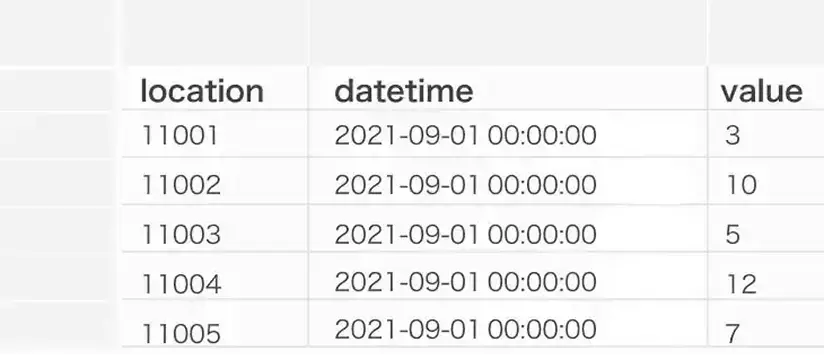
First, prepare your company's data for which you want to see the weather impact. For example, performance data that seems related to weather conditions is recommended, such as 'ice cream sales,' 'store visitor numbers,' 'product shipment volumes,' or 'power consumption.' If you don't have data yet, please try using our sample CSV data.

Try Now

STEP2

Check Output Results
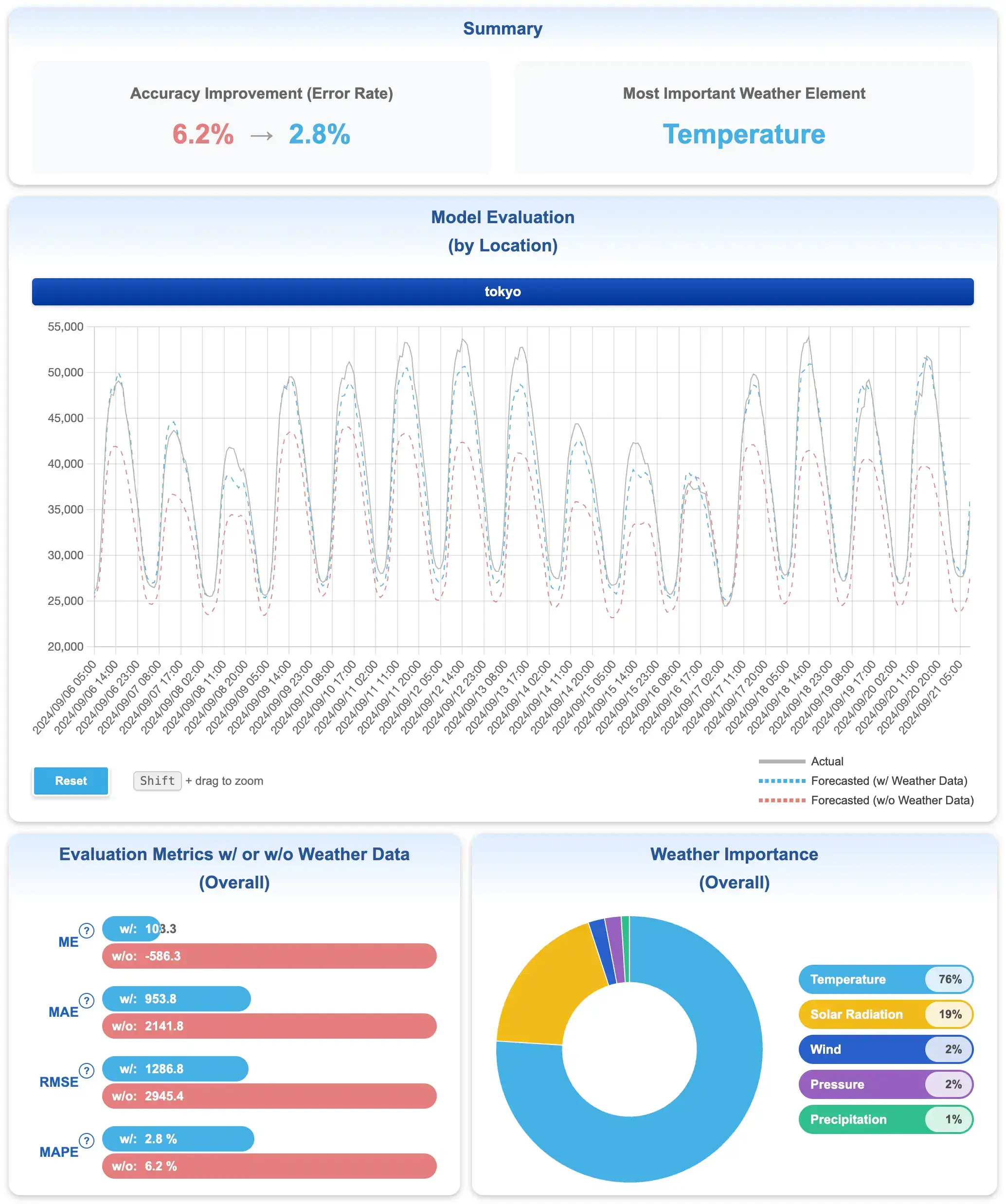
Based on the uploaded data, we utilize a nationwide network of 13,000 weather observation points and weather reports from users. You can check the output results as high-resolution and highly accurate weather forecast data.

View Sample Results

STEP3

Perform Analysis

Based on the obtained results, analyze the relationship between weather and business data. By visualizing how weather affects sales, visitor numbers, and demand fluctuations, you can optimize promotions, purchasing, and business planning. We also introduce use cases from companies that have actually implemented this system and industry-specific application examples. Please take a look as hints for your analysis.

View Use Cases/Implementation Examples

Analysis & Verification Trial

  • Please create CSV data with Location ID, Date/Time, and Analysis Data.
  • Please write 'location, datetime, value' in the first row.
  • The time intervals for uploadable data are either 'daily' or 'hourly'.

Sample Data

For those who want to try what kind of data can be analyzed, you can use this sample data. We have prepared visitor count and usage volume data for both 'daily' and 'hourly' intervals. You can either check the results directly or use the samples as a reference to replace them with your own data. When using the sample data as is, please set the location for 'Bakery Customer Count' as 'Nerima Ward, Tokyo' and for 'Store Electricity Usage' as 'Chuo Ward, Tokyo'.

Bakery Customer Count

Store Electricity Usage

  • ※For verification purposes, we require the user's name, company affiliation, and email address.
  • ※Verification is limited to 5 times per person per day.
  • ※The entered data will not be saved.